Powered by our AI agents, delivering personalization and scalability across your entire funnel.

Powered by our AI agents, delivering personalization and scalability across your entire funnel.
Discover how charlesAI empowers your business with advanced features and explore the complete product overview.
 See more
Powered by our AI agents, delivering personalization and scalability across your entire funnel.
Powered by our AI agents, delivering personalization and scalability across your entire funnel.
Discover how charlesAI empowers your business with advanced features and explore the complete product overview.
See more
Powered by our AI agents, delivering personalization and scalability across your entire funnel.


With a WhatsApp MCP, you can ask Claude or ChatGPT to analyse campaigns or build a flow. charles cowork brings that capability into the tool itself. Discuss a change in the chat while looking at the flow beside it. Select individual nodes, ask questions and make small edits yourself, without going back to Claude or ChatGPT.
An MCP lets you use a tool through chat in Claude or ChatGPT. Describe what you need, and Claude can retrieve campaign figures or create a flow in your WhatsApp software, for example.
A request might look like this:
“Compare the campaigns from the past 30 days and draft a follow-up campaign for subscribers who clicked but haven’t bought.”
However, MCPs do not all support the same tasks. Some only let you retrieve figures. Others also support creating and editing campaigns or flows. Claude can only use the information it is allowed to access through the MCP. Without purchase data, for example, it cannot reliably tell which subscribers have already ordered.
We offer a charles MCP too. With cowork, you can also work with AI directly in charles: discuss what you want to build and edit the result in the same tool.
charles cowork combines product knowledge with best practices for successful WhatsApp campaigns. It draws on our experience from more than 220 million messages sent, over 150,000 campaigns sent and our work supporting successful customers.
We turn that knowledge into practical guidance for welcome, opt-in, opt-out and abandoned-cart flows, among others. cowork uses the relevant guidance when you work on one of those tasks.
When you ask cowork for an abandoned-cart flow, you do not have to write out every step first. cowork can help you build it and point out details your initial prompt leaves open.

After a delay, for example, the flow should check whether a subscriber has bought. If they have, they should no longer receive the reminder. An opt-in check and a link to their own cart matter too. Your shop integration needs to provide the required cart and order data for this to work.
You bring your offer, brand voice and goal; cowork helps you put them into practice in charles.
An MCP can give Claude or ChatGPT instructions too. How much the assistant already knows about the tool depends on what the provider supplies. With cowork, we maintain that knowledge as part of the product. You do not have to build your own charles skill and update it when the product changes.
The chat and flow editor are open together. You can watch the flow take shape, inspect its branches and ask why cowork added a particular step.
If a phrase does not sound right, edit it directly in the message node. If you want to change the flow’s structure, tell cowork what to do. You can move between the chat and editor as you work.
This also works with a flow you built yourself. Perhaps you have the structure in place but are unsure about a condition. You can bring cowork in at that point.
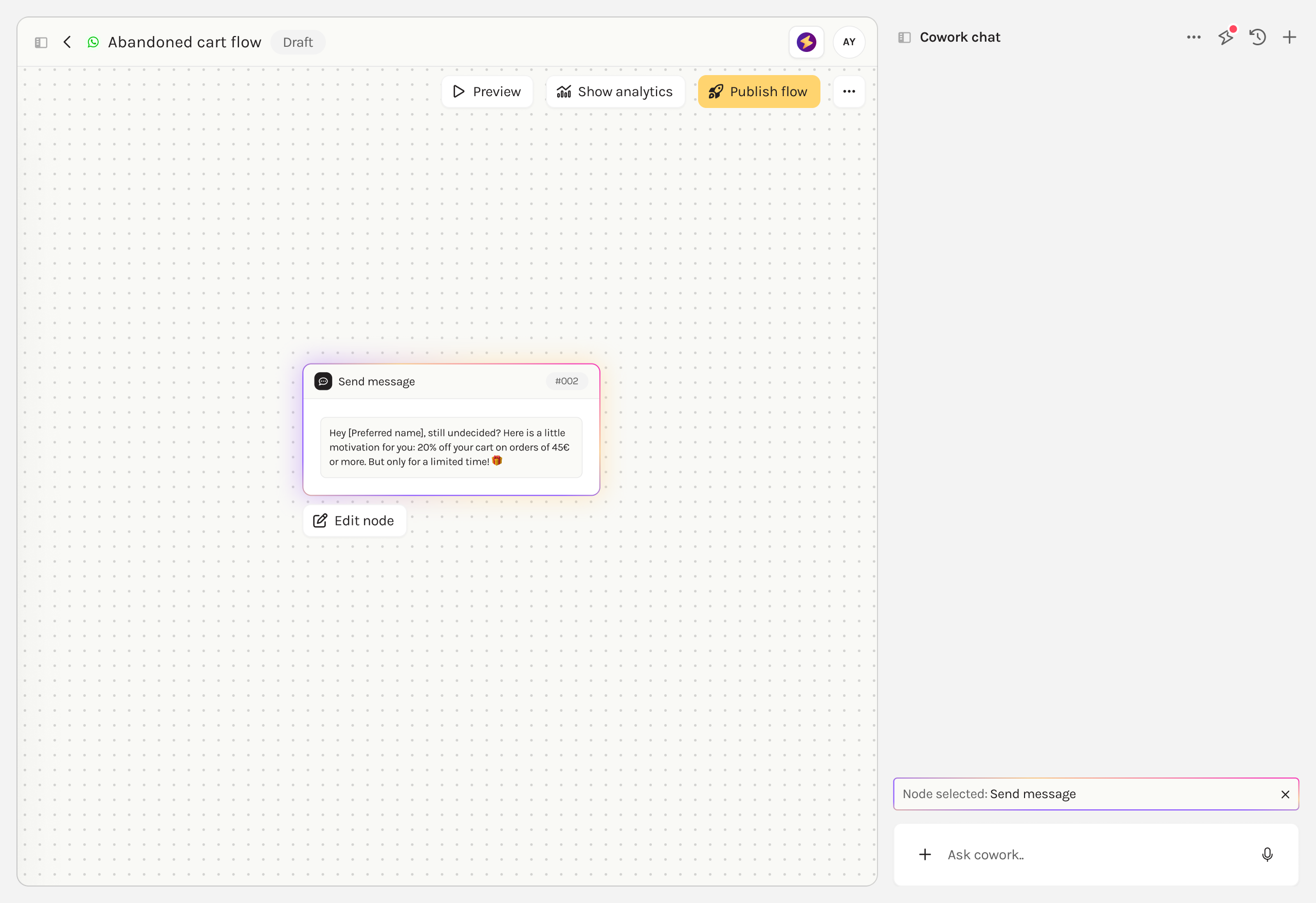
Select a node in the editor. cowork then receives the part of the flow you are referring to, and the selection appears in the chat.
You could select a condition and ask:
“Explain what this condition checks and which subscribers take each path.”
Or select a message:
“Shorten this copy. Keep the discount and the button.”
You do not have to explain which of the five messages you mean. And if you then want to change a single word, you can do it yourself in the editor.
The preview lets you try the flow as a customer would experience it. Does a button lead to the right next step? Is the question clear? Does the response fit the option you selected?
The cowork chat stays open. If something needs changing, discuss it there and try the revised version. You can also use automated tests for supported flows.
An MCP can offer testing tools too. With cowork, you have the preview, editor and chat together. You can try what was built and keep working on it directly.
Our WhatsApp flow walkthrough shows how to create a flow in chat and adjust it step by step.
You can ask cowork about clicks, purchases or attributed revenue: revenue that the reporting assigns to WhatsApp. cowork uses the data available in your account.
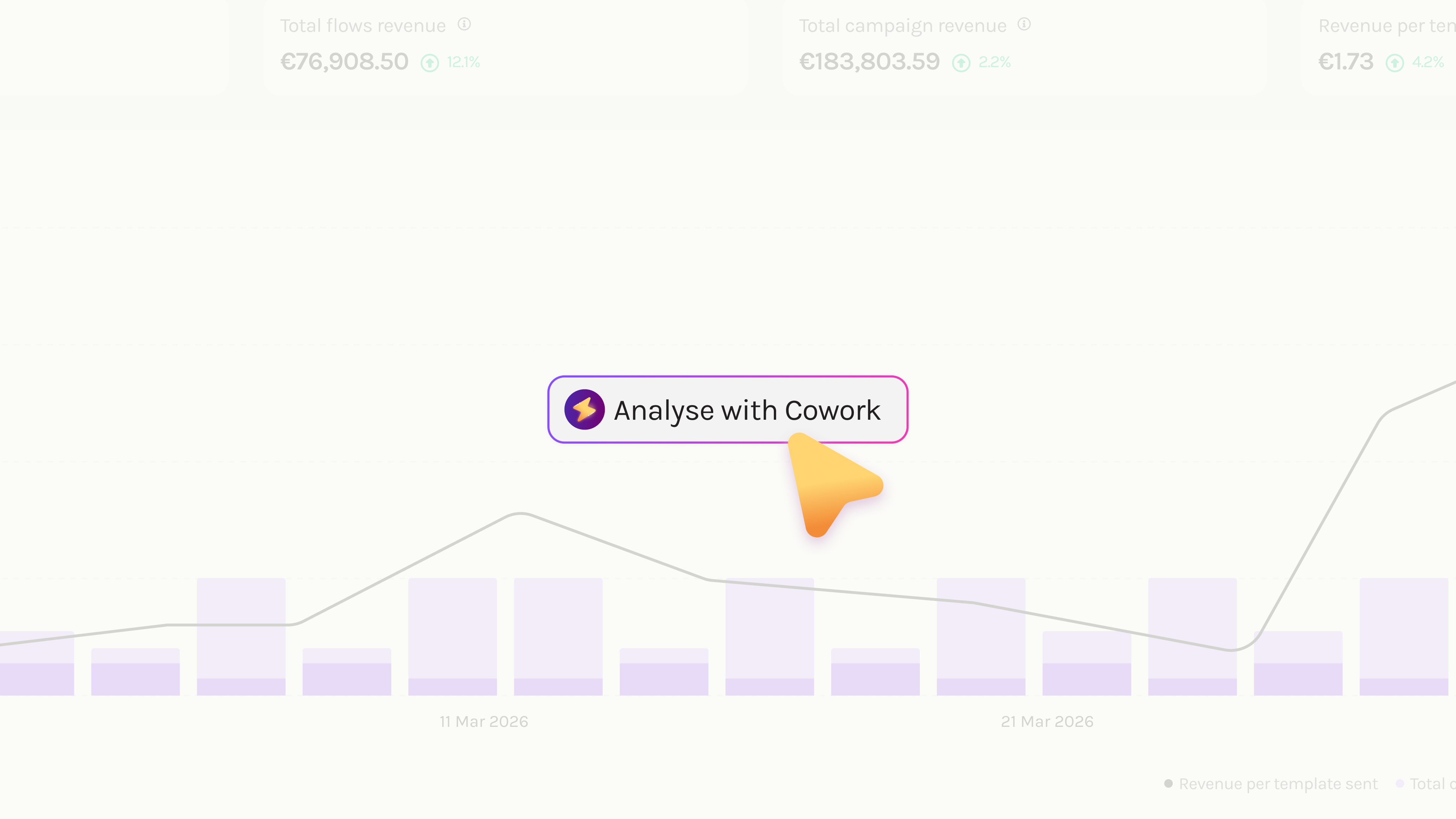
For example:
“How did our welcome flow perform last month? Show me the KPIs and which steps deserve a closer look.”
A low conversion rate does not tell you what caused it. Tags may be missing, a condition may send subscribers down the wrong path, or tracking may fail to capture some purchases.
That is why it helps to discuss the numbers and look at the flow alongside them. If the review reveals a problem with a condition, you can open it, discuss it with cowork and change it.
cowork can also help you look at the whole account. Is your subscriber count growing after unsubscribes? How far are you from your growth target? You can go through the available figures together and discuss what to work on next.
| What you want to do | Claude or ChatGPT with a WhatsApp MCP | charles cowork |
|---|---|---|
| Retrieve figures and create drafts | What is possible depends on the MCP’s functions and access permissions. | Ask cowork for figures or a draft directly in charles. The necessary data and functions must be available here too. |
| Use WhatsApp expertise | An MCP connects Claude or ChatGPT to the tool. It does not automatically include expertise in building effective WhatsApp newsletters and campaigns. | cowork brings product knowledge and best practices informed by more than 220 million messages sent, over 150,000 campaigns sent and our work with successful customers. |
| View and edit a flow | An MCP does not automatically open an interactive flow editor beside the chat. Without that view, you switch between Claude or ChatGPT and the WhatsApp tool to review and edit the flow. | The chat and interactive flow editor are open together. Click a node, describe the change or edit it yourself. |
| Edit a specific message | You need to tell Claude or ChatGPT which message to change. Clicking a node in the separately opened tool does not automatically pass that context to the chat. | Click the message node and ask cowork to change that exact text. Make small corrections yourself in the editor. |
If you are working on a flow and want to see the changes directly, cowork comes into its own. The chat is beside the editor, you can select individual nodes and you can try the draft in the preview. Small corrections do not need another prompt. You can make them yourself.
For teams that regularly move between building, reviewing and refining, we believe cowork is the better fit. You can delegate tasks in chat and take over an edit whenever you want. Guidance on charles and WhatsApp is already part of the experience.
You can work directly with cowork in charles or use the charles MCP. MCP access for Claude and other tools is currently in beta. The tasks you can perform depend on which functions are enabled for your access.
If your MCP access allows you to create drafts, you can start in Claude and open the saved flow in charles afterwards. Continue working on the same flow yourself or with cowork.
You can choose where to start and continue according to the task.
Our WhatsApp marketing software buying guide covers the other features that matter when choosing a tool.