Powered by our AI agents, delivering personalization and scalability across your entire funnel.

Powered by our AI agents, delivering personalization and scalability across your entire funnel.
Discover how charlesAI empowers your business with advanced features and explore the complete product overview.
 See more
Powered by our AI agents, delivering personalization and scalability across your entire funnel.
Powered by our AI agents, delivering personalization and scalability across your entire funnel.
Discover how charlesAI empowers your business with advanced features and explore the complete product overview.
See more
Powered by our AI agents, delivering personalization and scalability across your entire funnel.

RCS brings features such as photos, read receipts and group chats to your phone's messaging app. If you see “RCS message” or “RCS chat” in a conversation, you can exchange more than a traditional text message. The features available depend on the app, devices and mobile networks involved.
RCS stands for Rich Communication Services. This messaging standard adds capabilities beyond SMS: you can send high-resolution photos, for example, and see when someone is typing. Messages travel over Wi-Fi or mobile data.
An RCS message is an individual message sent using this standard. An RCS chat is the conversation in which you exchange those messages.
RCS is not a standalone app. If your phone's messaging app already supports RCS, you do not need to download anything extra. On many Android phones, you use it through Google Messages. On an iPhone, the Messages app supports RCS when the necessary requirements are met. For a personal RCS chat, your contacts also need to be able to use RCS. How RCS messaging works.
Look at the message type shown while you compose and send a message. In Google Messages, the send icon indicates whether it will travel over Wi-Fi or mobile data, or as an SMS. The wording can vary by app and version.
On an iPhone, the bubble colour alone does not tell you: both RCS and SMS appear in green. Blue bubbles belong to iMessage. Apple explains the different message types.
Read receipts and typing indicators can also point to an RCS chat. Their absence does not necessarily mean a message uses SMS, because people can turn these features off. “Delivered” and “read” mean different things, too. A message can reach someone's device before they open it.
RCS and SMS can appear in the same messaging app. WhatsApp is a separate messenger. What matters most is which service your contact uses and which features you need.
| Question | SMS | RCS chat | |
|---|---|---|---|
| Where do you send messages? | In an SMS-capable messaging app | In your phone’s messaging app | In WhatsApp |
| How are messages sent? | Through your mobile network's SMS service | Over Wi-Fi or mobile data | Over Wi-Fi or mobile data |
| Can you send photos and videos? | Not as a plain SMS | Yes | Yes |
| Are there read receipts and typing indicators? | No equivalent chat features | Yes | Yes, depending on the feature and settings |
| What does your contact need? | A mobile number that can receive SMS | A smartphone with RCS turned on | A WhatsApp account |
For example, you might want to send friends a few holiday photos. An RCS chat gives you more options than a plain SMS. If you already chat on WhatsApp, there is no need to switch to RCS for that. RCS does not replace your WhatsApp chats or your WhatsApp account.
Businesses have additional options, including verified senders and interactive messages. We cover these in our guide to RCS marketing for businesses.
Personal RCS chats use your internet connection. With Google's RCS chats, sending messages over free Wi-Fi does not incur an additional messaging charge. On a mobile connection, messages use data, so the cost depends on your plan. Google's guidance on RCS charges.
You may incur charges when you use paid mobile data, for example while roaming outside the countries included in your plan. Photos and videos use more data than short text messages.
Another factor is SMS fallback. If an RCS message cannot be sent, your app may let you send it as an SMS instead, depending on your settings. Your plan's SMS charges then apply. Check the message type before sending if additional charges could be an issue.
Business messaging is priced separately. RCS campaigns and automated service messages can involve software and sending fees. The cost of a personal RCS conversation therefore does not tell you what a business will pay.
On Android, Google Messages is a widely used RCS-capable app. You need an app that supports the standard, an active RCS connection and internet access. Owning an Android phone does not mean RCS works in every messaging app.
On an iPhone, RCS is available from iOS 18. You also need a mobile plan from a network provider that supports RCS on iPhone. Availability varies by provider and region. Requirements for RCS on iPhone.
For an Android-to-iPhone RCS chat, both participants need to be able to use RCS. If a contact does not have support, RCS features will not be available in that conversation.
Possible reasons include a contact whose device or service does not support RCS, activation that has not finished, or a connection problem. Your app may also be set to resend an undelivered RCS message as SMS.
In Google Messages, you can check your RCS status in the message settings. “Connected” means you can use RCS with other people who have also enabled it. If problems persist, follow Google's RCS activation guidance.
You can also change settings such as read receipts here. Google's instructions explain the available options.
If the setting is missing, RCS may not be available for your setup. Activation can take a little time after you turn it on. Apple explains the steps in its RCS setup guide.
An RCS chat can be end-to-end encrypted, but the RCS label alone does not guarantee it. The services and devices involved need to support encryption for that conversation.
Supported chats between Google Messages users automatically use end-to-end encryption. A lock symbol on the send button or beside the timestamp indicates that it is active. Encryption in Google Messages.
Apple describes end-to-end encrypted RCS messaging from iOS 26.5 as a beta available with supported mobile networks. The other participants' providers also need to support encryption. On an iPhone, “Encrypted” and a lock icon identify a protected conversation. Apple's explanation of RCS encryption.
Information checked: 23 November 2026. Support continues to expand. Look for the encryption indicator in the individual chat.
Business messages have different conditions. Google describes RCS for Business as using encrypted connections through its infrastructure, but not end-to-end encryption. A verified business profile and an encrypted conversation are therefore separate things. RCS for Business data security.
RCS makes messaging more versatile, but there are still some limitations:
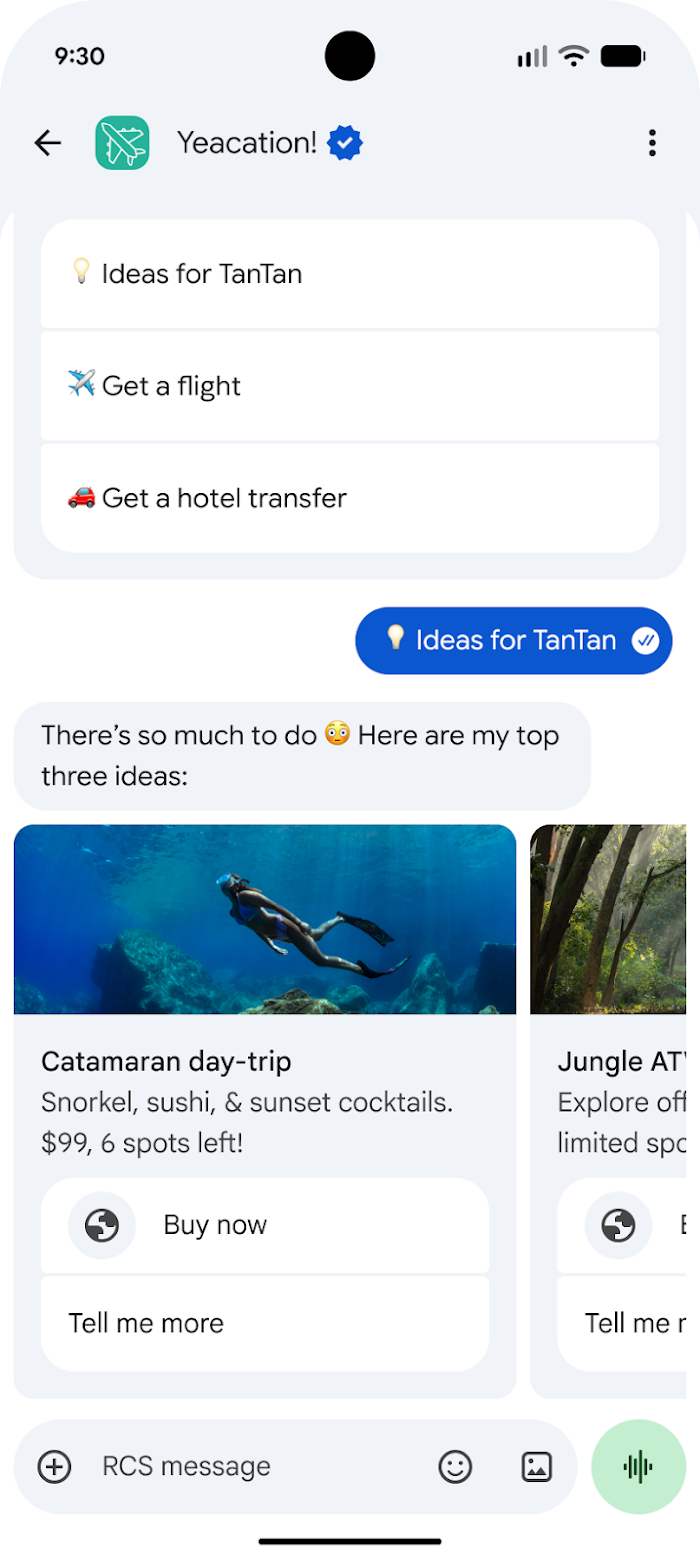
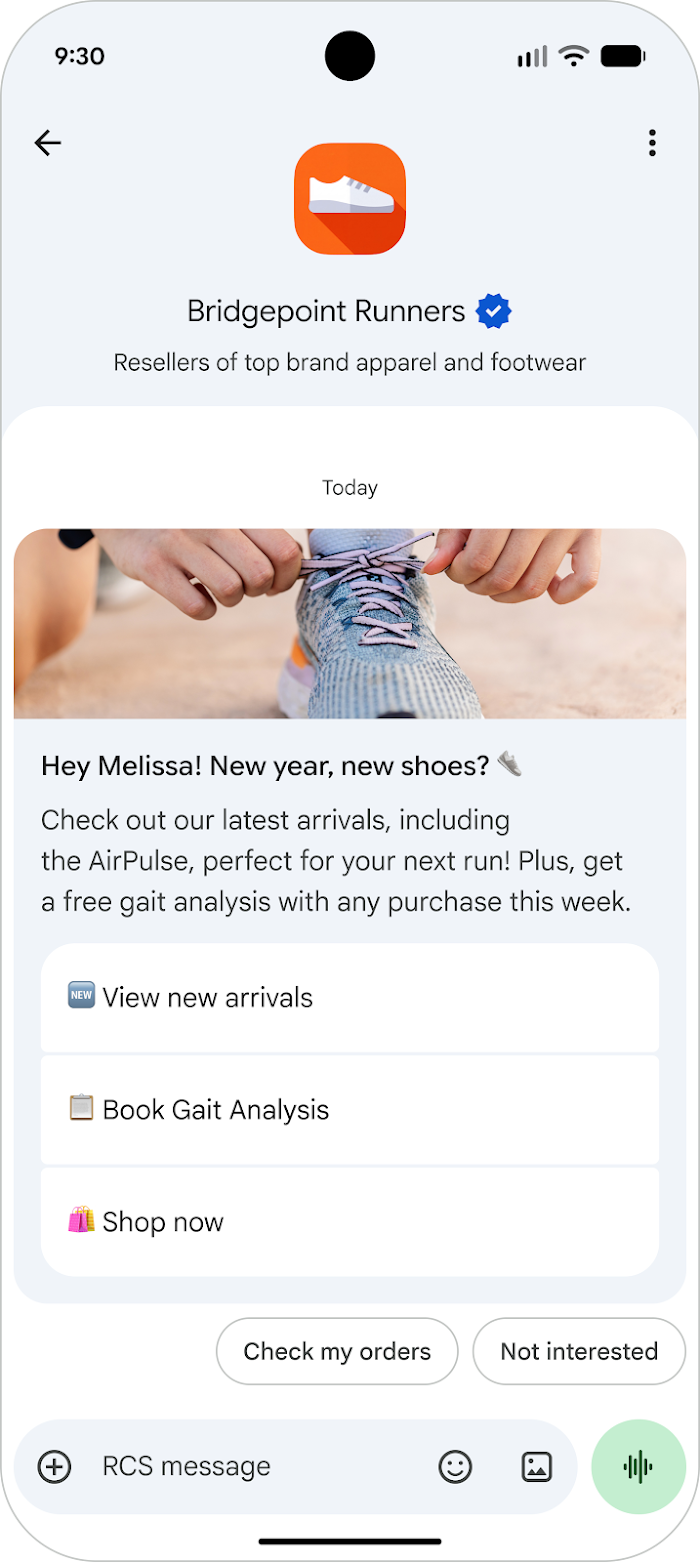
Businesses can use RCS for order updates, customer service and offers. This is called RCS Business Messaging, also known as RCS for Business. A verified business profile identifies the brand sending the message. Businesses can show products with images and include buttons, so customers can make a selection or ask a question directly.
RCS already has substantial coverage in Germany. The joint RCS initiative of Telekom, Vodafone, Telefónica and 1&1 reports 72.4 million devices or mobile numbers provisioned for RCS in Q3 2026. The network operators' German coverage report (PDF).
On supported smartphones, customers receive RCS business messages in their existing messaging app. They do not need to download an additional chat app. Businesses can show them images, product cards and reply buttons there.
Which contacts a business can actually reach depends on device support, settings and approval of its business sender on the relevant mobile network. Businesses can check technical reachability before sending.
Interactive elements are especially useful when they make the next step easier. Three possible examples:
These messages can combine images, text, suggested replies and actions. The available elements depend on the features supported. More about RCS cards and interactive elements.
The business needs a support team or suitable workflows to handle replies. Automatically rescheduling an appointment, for example, requires a connection to the booking system.
RCS is an interesting alternative or addition when businesses want customers to respond directly to a message. The main differences are where the conversation happens and what the message can contain:
What interests us is the opportunity to turn a business message into a conversation. A customer sees an offer, asks a question and gets help with their decision. With charles, we help businesses use RCS for marketing and customer service.
If you want to use RCS for your business, our guide to RCS marketing covers the business features, use cases and requirements.