Powered by our AI agents, delivering personalization and scalability across your entire funnel.

Powered by our AI agents, delivering personalization and scalability across your entire funnel.
Discover how charlesAI empowers your business with advanced features and explore the complete product overview.
 See more
Powered by our AI agents, delivering personalization and scalability across your entire funnel.
Powered by our AI agents, delivering personalization and scalability across your entire funnel.
Discover how charlesAI empowers your business with advanced features and explore the complete product overview.
See more
Powered by our AI agents, delivering personalization and scalability across your entire funnel.

How you build campaigns, which customer data you can use and how useful your reports are depend on the connected software and its integrations.
The WhatsApp Business App lets you chat directly with customers. The API is an interface rather than a finished app: WhatsApp marketing software uses it to send and receive messages.
That software can also use data from your shop or CRM. You could segment subscribers by past purchases or stop a reminder once an order comes in, provided the software supports the integrations and conditions needed. Meta explains the technical foundations in its WhatsApp Business Platform overview.
You can use ready-made WhatsApp marketing software to build campaigns and flows. You create messages in the tool, while the provider handles the API connection. The features you gain beyond the Business App depend on the software and its integrations.
Targeted WhatsApp campaigns and flows can achieve a substantially higher Return on WhatsApp Spend than a generic message to every subscriber. Purchase data, interests and tags help you send messages that fit the audience, giving your messaging budget a better chance of generating revenue.
For example, you can segment subscribers by past purchases or exclude existing customers from a new-customer discount. The data available, and how up to date it is, depend on your shop or CRM integration.
sonnenklar.TV now sends three of its four monthly campaigns to active subscribers. Its before-and-after comparison showed a 48% drop in Meta costs per campaign and a 61% increase in click-through rate.
A useful WhatsApp flow responds to customer behaviour. Conditions decide who gets which message, while delays set how long the flow waits before its next step.
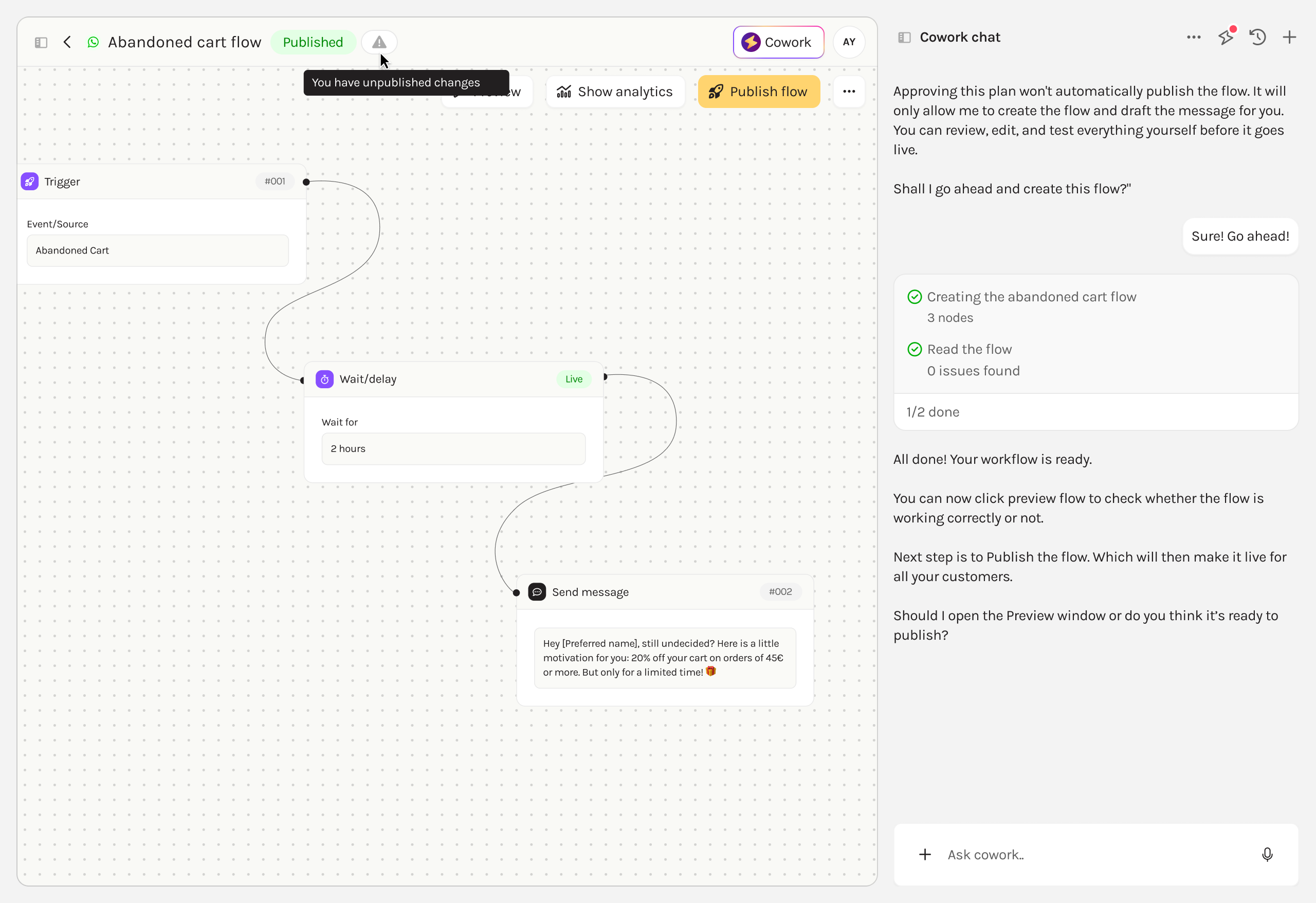
After an abandoned cart, the flow can wait and then check whether a purchase has happened. If the purchase is still incomplete and the subscriber has the relevant opt-in, it sends a reminder. If they have already bought, it skips the reminder. The WhatsApp software needs current cart and order data from the shop, supplied through the shop integration.
In charles, you can use conditions and timing steps such as:
The trigger starts the flow. Conditions can then route subscribers to different messages or skip a send. This lets the automation respond to current customer data instead of sending everyone through a fixed sequence.
After a campaign, subscribers can reply or ask questions in the same chat. They should get a prompt answer from an AI Agent or your service team.
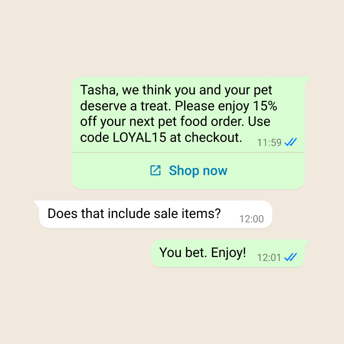
An FAQ agent can answer recurring questions. A more advanced AI Agent can also use the chat context and approved product or order data. What matters is which information it actually receives and when it hands over to a person. If an answer is unclear or a customer wants personal advice, a team member should be able to take over. The agent should then stop jumping into the conversation.
At PURELEI, our FAQ agent fully answered 90% of WhatsApp service requests in the first few months. Complex or sensitive enquiries were handed over to the team.
Our WhatsApp customer service page explains how we bring AI and human support together.
The API provides message status updates, among other data. Useful reporting combines these with information such as clicks, orders and messaging costs.
Alongside delivery and open rates, you can then look at attributed revenue, orders, revenue per subscriber and Return on WhatsApp Spend. Attributed revenue is the revenue your tracking model assigns to WhatsApp. This depends on inputs such as shop data and tracking parameters arriving correctly.
The whole account matters too. How is your subscriber count changing after opt-outs? How close are you to your annual goal? Which campaigns and flows contribute revenue? A list of sent messages cannot answer these questions.
You need the appropriate opt-in to contact people on WhatsApp and must respect opt-outs. A purchase in your shop does not automatically count as consent to WhatsApp marketing. Meta sets out its requirements in the WhatsApp Business Messaging Policy.

Meta also distinguishes between two situations:
An approved template does not replace opt-in. And the 24-hour window does not automatically make messages free. Since 1 October 2026, Meta also charges for service messages once the first 1,000 per business phone number per month have been used. Our WhatsApp Business API pricing guide explains the details.
With ready-made WhatsApp marketing software, the provider handles the API connection and supplies the features your team uses.
charles is a Meta Business Partner
You can also use the Cloud API directly. Meta provides the interface; your development team handles your application, data integrations and incoming-message processing. Building your own campaigns, segmentation, flows and reporting adds development, testing and ongoing maintenance. The work involved depends on what you already have and what you need to build.
A specific first task helps: a campaign, an automated reminder or answers to common customer questions. It gives you a practical way to decide which features you need first.
Setup includes a Meta business portfolio, a business WhatsApp account and a suitable phone number. You also need access permissions and a payment method. Meta may require further business information and verification steps. Its getting-started documentation explains the requirements.
If you already use a WhatsApp Business number, agree how you will continue using it before switching. Do not delete the existing account in preparation. Whether and how the app and API can work together depends on the supported setup.
A campaign needs subscribers with the relevant opt-in. Purchase reminders and revenue reporting also need shop and order data. An integration being listed does not tell you which data and features it supports. Our integrations overview is a starting point; what matters for your use case is what the connection actually enables.
In conventional software, you select segments, build messages in an editor and configure flows. You need to learn the interface and the settings that matter.
With charles cowork, you can describe the campaign you want and develop the draft in chat. In an account that is already set up, you can start working on your first campaign within minutes. This does not replace account setup or approval of any required template. Our campaign example with cowork shows how it works.
Before sending, make sure the audience, opt-out and replies are covered: who will receive the message, how can subscribers unsubscribe and who will handle questions? cowork helps your marketing team do its work. A customer-facing AI Agent has a different job: answering your customers' messages.
Costs can include Meta's messaging charges, your software subscription and, depending on the setup, onboarding, integrations or AI usage. With a direct integration, you also need to budget for development and operations.
Meta prices messages by category and the country calling code of the customer's WhatsApp number. It charges for delivered business messages, not incoming messages from customers. Our WhatsApp Business API pricing guide includes current rates and an example budget.
We believe WhatsApp deserves a place in the marketing mix. Relevant campaigns, well-designed flows and good service can make it a highly profitable channel that strengthens customer loyalty. Costs and performance need to be considered together.
If you want to send WhatsApp campaigns, track purchases and answer customer questions, we can show you charles and discuss the right setup for your team.